Guide
POC (Proof Of Concept)
MULTI-PAGE File Creation In Collaborative Workspace In The Starter Plan
Figma Boasts A Intuitive Collaborative Design Platform, But There's A Gaping Hole In Their Access Controls. An Exploit Allows Even Free Starter Plan Users To Blow Past The Intended 3-page Limit For Team Projects. Yeah, You Read That Right - Unlimited Pages, No Subscription Required!
This Critical Vulnerability Grants Unauthorized Access That Undermines Figma's Pricing Model. Starter Users Can Now Create Expansive, Multi-page Design Files Shared Across Entire Teams, Functionality Normally Restricted To Paid Professional Plans.
STEPS TO REPRODUCE
(details for how you can reproduce the issue)
1. Kick Things Off By Creating A New Figma File In Your Drafts. Add As Many Pages As You Want - There Are No Limits Here.
2. Now For The Magic Trick - Move This Multi-page Draft Into One Of Your Shared Team Projects.
3. Invite Your Collaborators To Join. Boom! You've Got A Full-fledged, Unlimited-Page Team File...On A Free Plan.
4. Pat Yourself On The Back For Your Subscription-hacking Wizardry! Gather The Team And Start Designing Away Without Those Pesky Page Constraints.
SUPPORTING MATERIALS/REFRENCES
(screenshots with details)
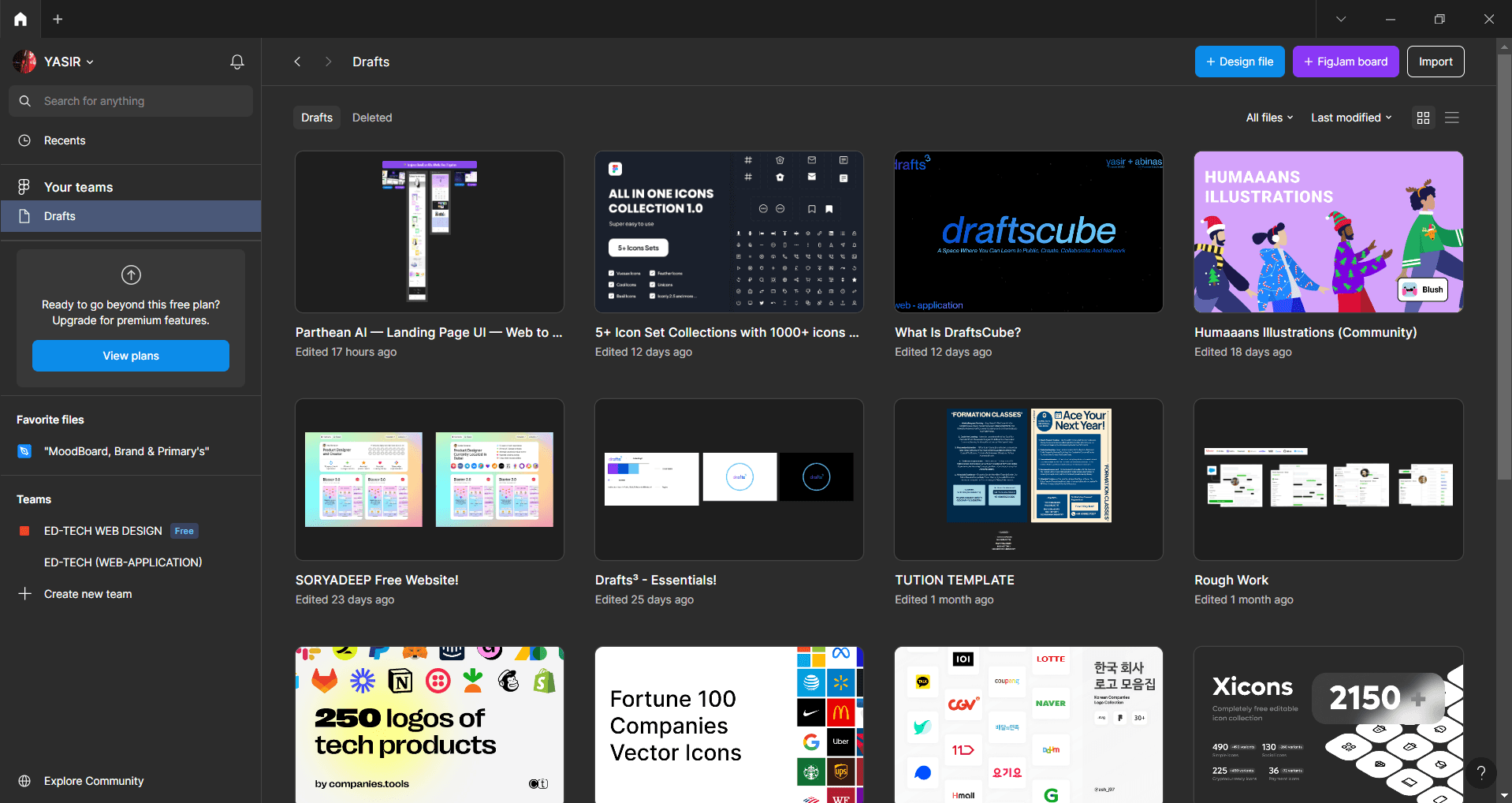
A] Start By Creating A New Design File In Figma. Don't Worry, It'll Be Saved In Your "Drafts" By Default.
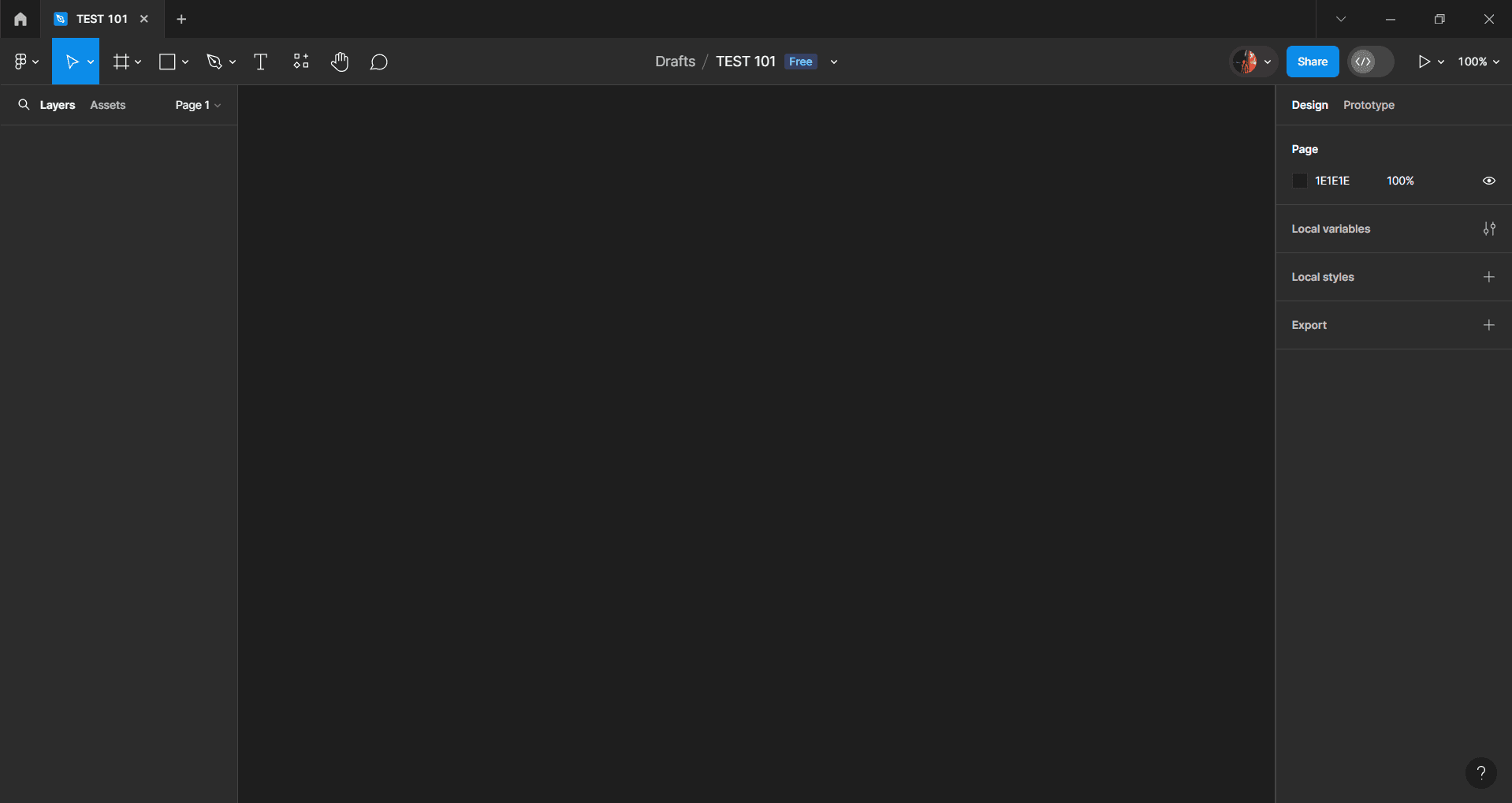
B] Name The File, In My Case I’ve Named It ‘TEST 101’, You Can Also Use The Default Name!
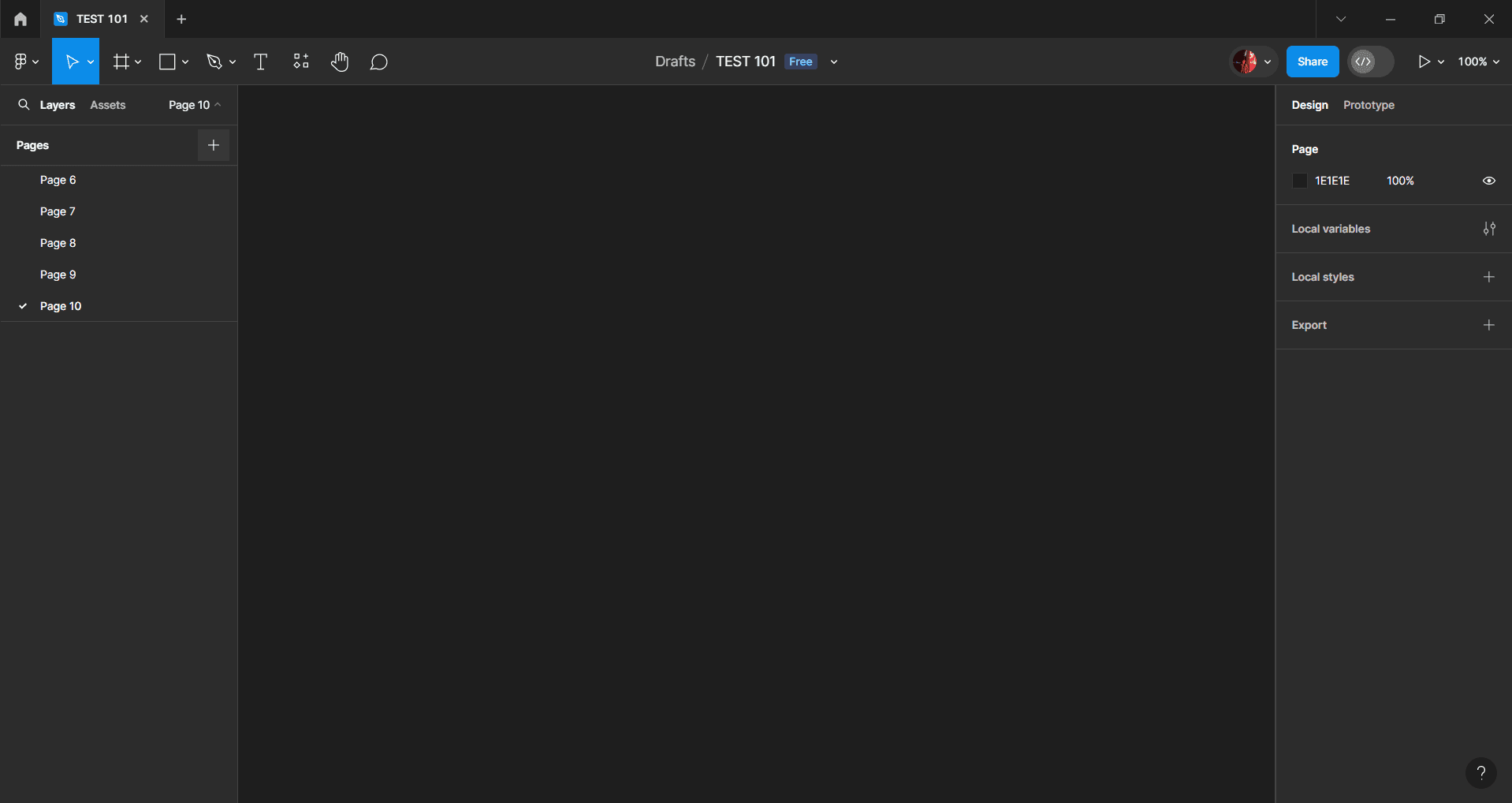
C] Go Ahead And Add As Many Pages As You Want To This Drafts File, Because Figma Allows You To Create Multiple Pages Here, No Restrictions In The Drafts File.
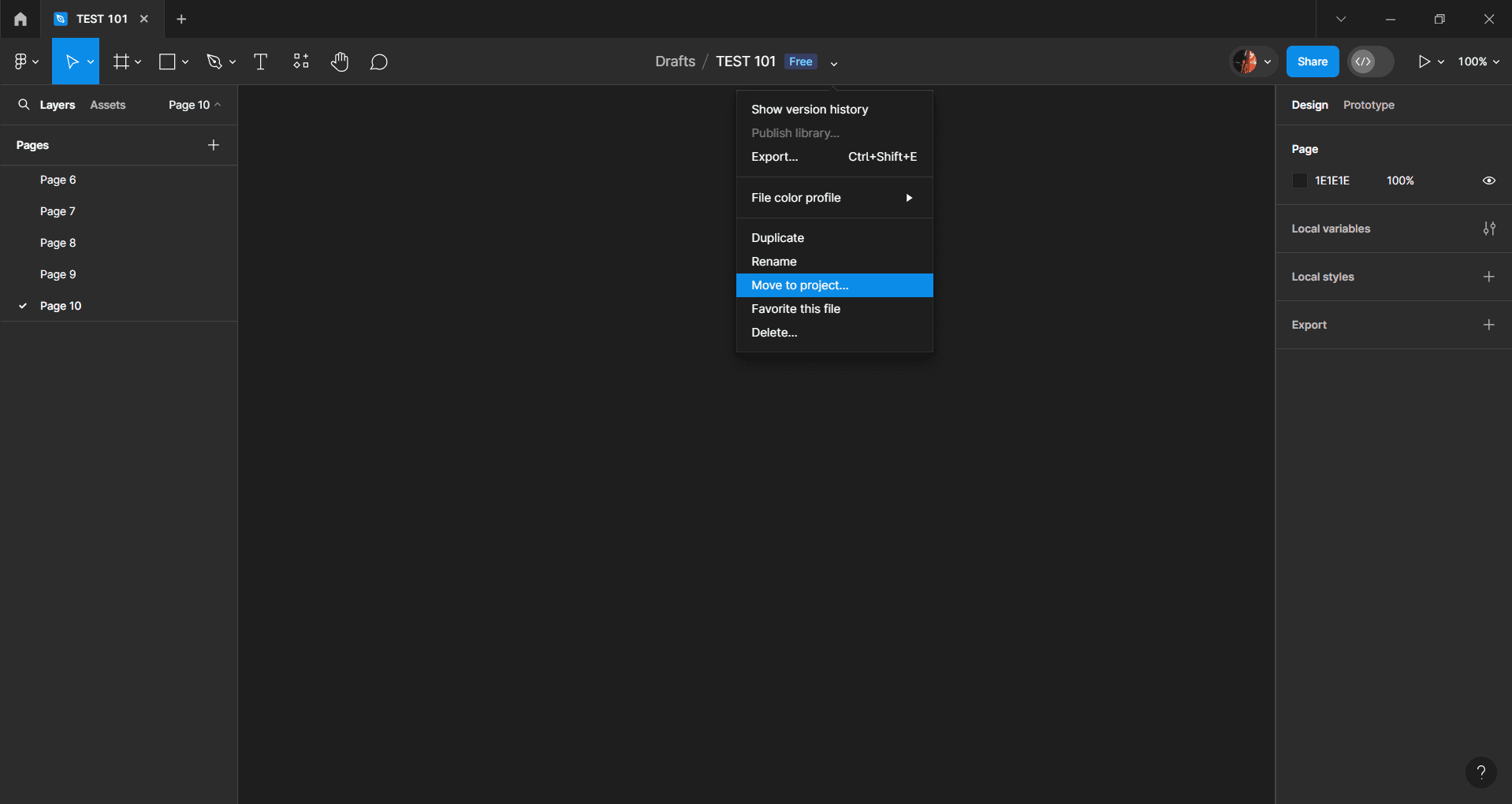
D] Move This Multi-Page Draft File To One Of Your Team Projects. Once It's In The Team Project, You Can Invite As Many Collaborators As You Need MULTI-PAGE File Creation In Collaborative Workspace In The Starter Plan 5 To Work On The File With You.
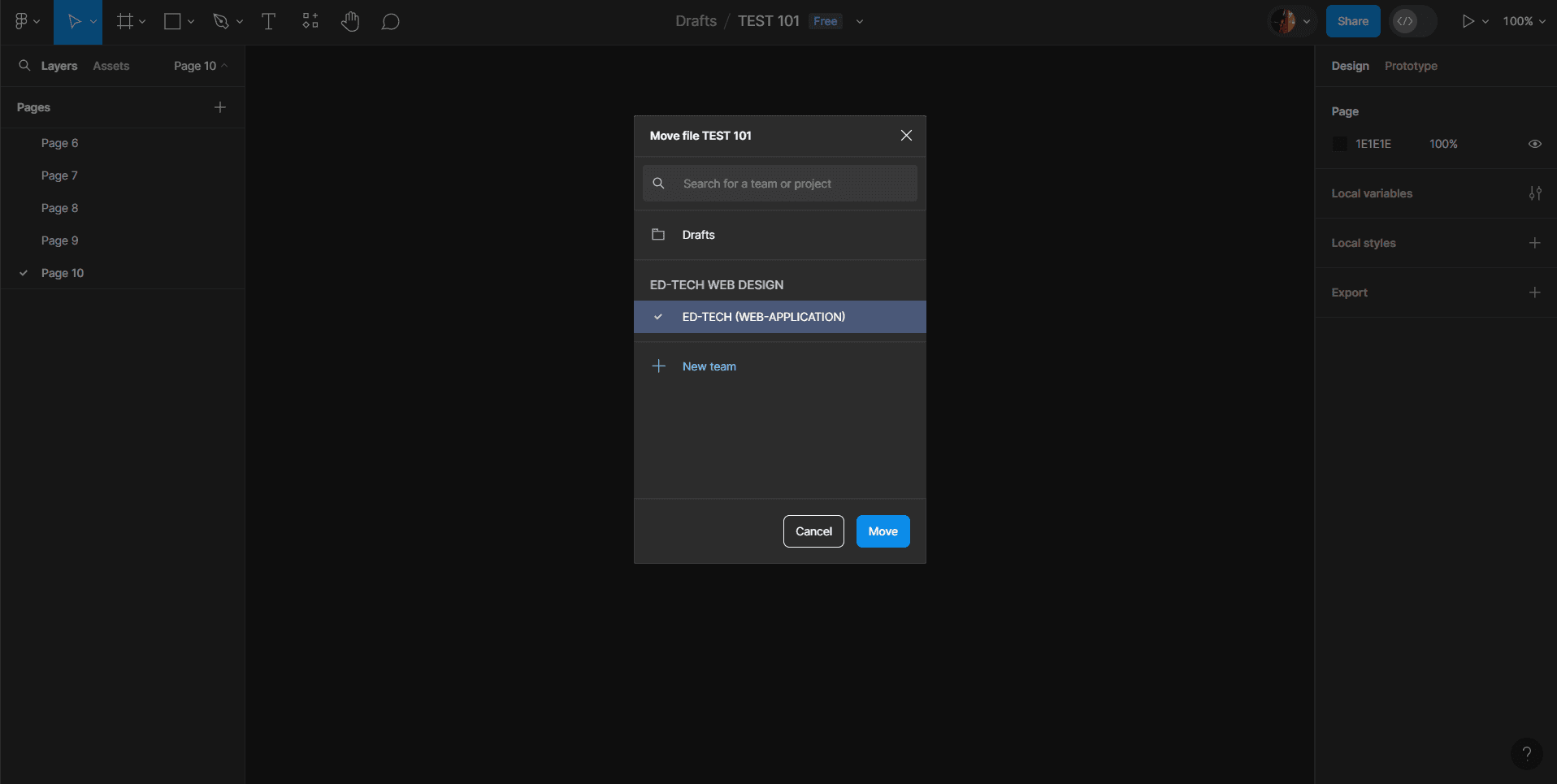
E] In My Case I’m Moving This File In My ED-TECH Team Project!
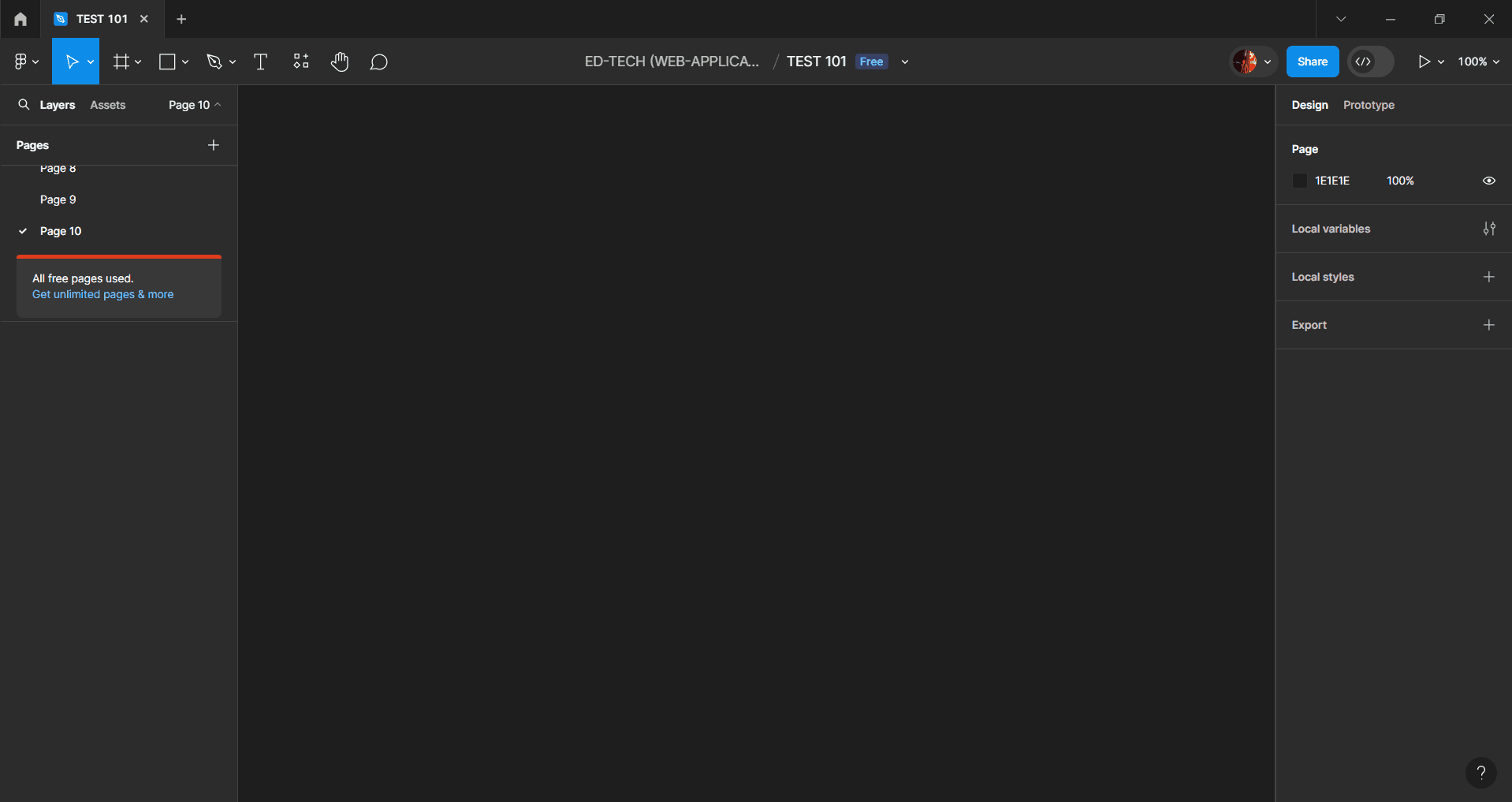
F] And There You Have It! You Now Have A File With Multiple Pages Within A Team Project, Without Needing To Upgrade From The Free Starter Plan To The Professional One. Sneaky, Right?
HERE IS THE LITTLE DEMO HOW THIS BUG ACTUALLY WORKS
IMPACT
From A Monetary Perspective, The Ability For Any Free Starter Plan User To Circumvent Subscription Requirements And Access Unlimited Premium Features Jeopardizes Figma's Entire Monetization Model. Malicious Actors Could Widely Propagate This Exploit, Resulting In Staggering Losses As Paying Customers Realize They Can Get The Professional Plan's Full Functionality For Free. This Revenue Impairment Could Be Catastrophic For Figma's Future.
Moreover, Such A Glaring Vulnerability That Undermines Core Product Functionality Would Severely Erode User Confidence And Trust In Figma As A Secure, Reliable Design Platform.
The Perceived Lack Of Access Control Integrity Could Drive Customers To Seek Alternatives.
From An Operational Standpoint, Unlimited File Creation By Free Users Could Cripple Figma's Server Infrastructure Through Overconsumption Of Resources, Effectively Rendering The Platform Inoperable. This Denial Of Service Risk Poses An Existential Threat.
In Summary, Public Disclosure Of This Subscription Bypass Would Expose Figma To Devastating Financial, Legal, Technical, And Reputational Consequences That Could Permanently Impair The Business. The Urgency Of Resolving This Access Control Vulnerability Cannot Be Overstated, As Every Day It Remains Unpatched Increases The Likelihood Of A Potentially Fatal Leak.